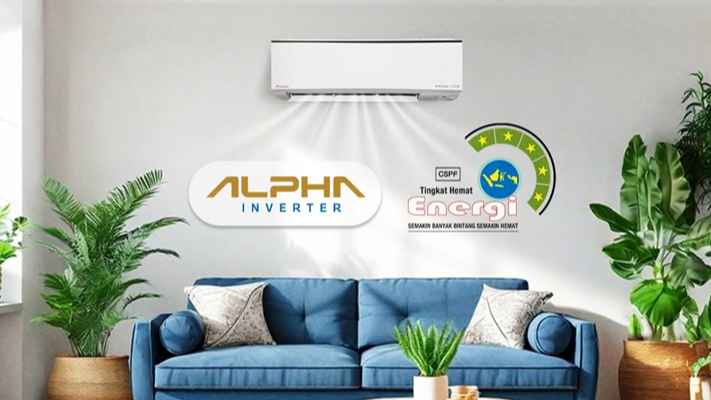
Before lowering your AC temperature—which can actually increase power consumption—there’s a more efficient way to cool room corners: maximizing the AC swing feature. Often overlooked, this function plays a crucial role in optimizing comfort and efficiency.
AC units alone can account for approximately 50%–70% of household electricity bills, making proper settings essential for maintaining both comfort and energy efficiency. This article covers what the AC swing feature is, its functions, maintenance tips, and solutions for common issues.
What Is the AC Swing Feature?
The AC swing feature automatically moves the indoor unit’s louvers left, right, up, and down. Its primary function is to direct cold air flow and evenly distribute temperature throughout the room.
How It Works:
This feature utilizes a small motor positioned behind or beside the louvers. The motor automatically rotates to move the louvers vertically or horizontally, continuously changing and spreading the airflow direction.
Benefits of AC Swing Mode
It significantly impacts both comfort and operational efficiency, including:
1. More Even Cooling Across the Entire Room
As the louvers move, cold air is no longer concentrated in one spot but disperses in multiple directions, resulting in a more uniform room temperature. This eliminates the need to excessively lower the AC setting just to cool every corner.
2. Improved Energy Efficiency
Using this mode can reduce energy consumption by up to 30% compared to static airflow at the same temperature. Because cold air is distributed more evenly, the indoor unit’s temperature sensor reaches the set target faster. Consequently, the compressor workload decreases, making AC operation more efficient.
3. Better Indoor Air Quality Maintenance
Continuous air circulation helps prevent dust and particles from accumulating in specific areas. The indoor air feels fresher and cleaner, creating a more comfortable environment for daily activities.
4. Flexible Air Direction Control
This feature offers flexible control over airflow direction. You can select vertical, horizontal, or dual-axis movement, or lock the louvers at a specific position as needed—for example, directing airflow away from seating or sleeping areas.
How to Use It
Activation is straightforward and can be done directly via the remote control, wall panel, or smartphone app:
- To Activate: Press the “Swing” button or curved arrow icon, and the louvers will begin moving.
- To Stop/Lock the Swing: Press the same button again while the louvers are moving. The movement will stop, locking the louvers in their current position.
When Should You Use This Feature?
It doesn’t need to run continuously. It is most recommended under these conditions:
- Before Sleeping: Helps avoid direct cold air exposure to the body and minimizes the risk of Bell’s Palsy.
- Large Rooms with Multiple Occupants: Reduces hot, stagnant corners.
- When First Turning On the AC: Quickly equalizes and stabilizes room temperature.
Why Is the AC Swing Feature Not Working?
A common issue is when the swing louvers fail to open upon initial startup, or when the swing activates but the louver movement becomes jerky or unstable. Possible causes include:
1. Control System Issues
The remote may not be sending swing commands, or there could be a fault with the sensors, PCB (control module), or AC electronic system. Symptoms include completely stationary louvers and no response when pressing the Swing button.
2. Damaged AC Swing Motor
The AC swing motor is a small stepper motor responsible for moving the louvers. When weakened or damaged, louver movement becomes erratic or stops entirely. This typically occurs due to aging units that lack regular maintenance. Signs include audible motor noise accompanied by jerky or completely stuck louvers.
3. Stuck Swing Due to Dirty Louver Areas
Dust and debris accumulation around the hinges or gaps can hinder smooth swing operation. Indicators include unusual motor sounds absent, but with noticeably rough or intermittent louver movement.
How to Fix a Non-Responsive AC Swing Louver
You can try the following troubleshooting steps:
1. Replace AC Remote Batteries
If the issue stems from a weak remote signal, simply replace the batteries with fresh ones.
2. Clean Hinges and Louver Gaps
Turn off the AC and allow it to cool down. Gently clean the louvers using a dry cloth or soft brush. Ensure no dust obstructs the louver movement path. Once cleaned, restart the unit and verify if the swing function operates smoothly.
3. Contact a Technician
If the swing still doesn’t work, component replacement may be necessary. Contact your AC manufacturer’s after-sales service for professional repair or part replacement.
Maintaining Your AC Swing Feature
Regular maintenance is essential to keep the louvers moving smoothly and prevent jamming. Follow these guidelines:
- Clean the louvers regularly.
- Activate the swing feature periodically to keep the mechanism lubricated and responsive.
- Avoid manually forcing or pulling the louvers.
- Schedule routine professional servicing.
Achieving Optimal Cooling with Advanced Swing Technology
While most AC units come equipped with swing functionality, not all deliver optimal cold air distribution. Choose DAIKIN AC units! Powered by advanced 3D Airflow technology, which combines vertical and horizontal swing movements alongside wider louver designs, DAIKIN ACs rapidly and evenly distribute cool air. Contact us today for expert DAIKIN AC recommendations and experience maximum comfort with superior swing technology.


